How to Keep Phones, Lights, and Radios Powered During a Long Outage
Build a small-device power system around measured demand, compatible charging chains, distributed lighting, and a written no-outlet test.
Short answer
Key takeaways
- Plan by household function before shopping for capacity: contact, official information, safe movement, and task lighting come first.
- Use watt-hours and measured charging sessions; a battery percentage or headline milliamp-hour number is not a household energy budget.
- Keep a protected reserve for communication and route lighting instead of letting convenience use consume every available charge.
- Test every device, cable, adapter, port, and power source as one chain under ordinary conditions.
- Use manufacturer-approved charging equipment, check recalls, and remove damaged battery equipment from the plan.
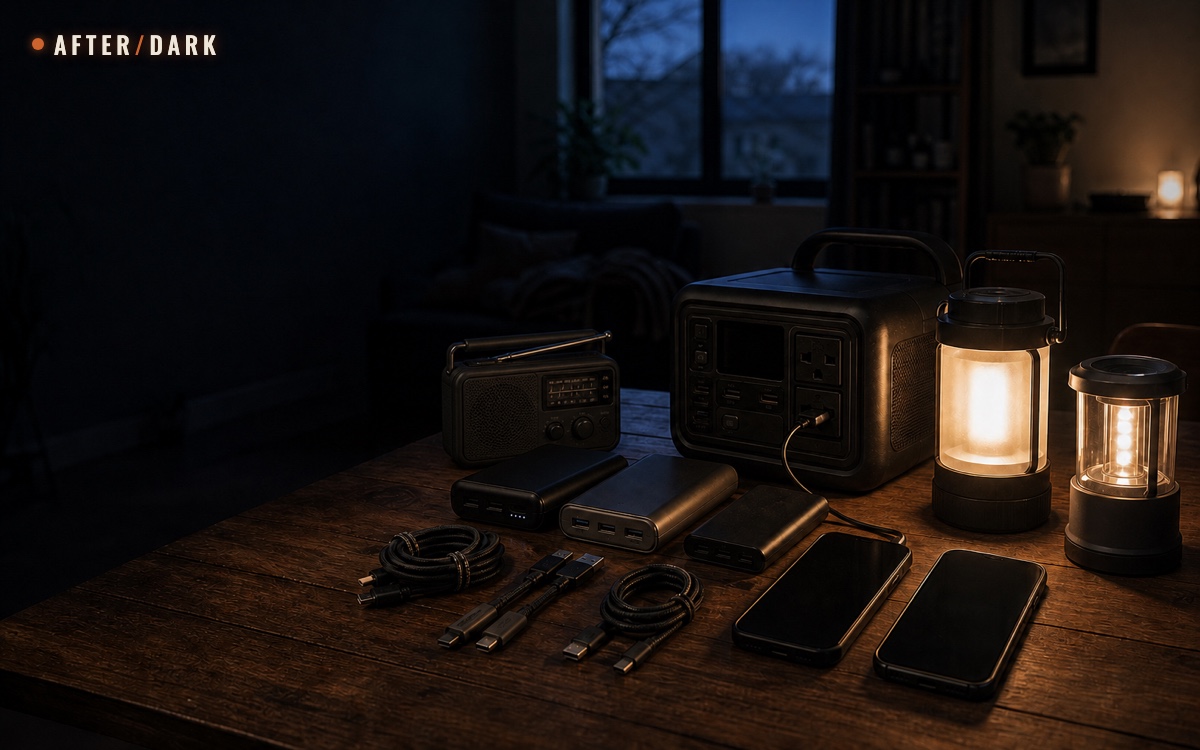
To keep phones, lights, and radios powered during a long outage, inventory every device and charging chain, rank the functions they support, and measure daily demand in watt-hours. Start with charged devices and labeled power banks, then add a correctly rated portable source and a tested recharge method only when the budget requires them. Reserve power for household contact, official information, and safe movement; place lights where they are used; follow manufacturer limits; and run a no-outlet test before relying on the system.
This guide covers small portable devices. Refrigeration, cooking, space conditioning, and fixed household systems belong in separate energy plans because their output, starting load, connection, and safety requirements are different. Keep the cooking-energy budget separate so one high-draw session cannot silently consume the power reserved for light and communication.
The objective is not to keep every screen and lamp operating as usual. It is to preserve four household functions with the smallest dependable system: contact, official information, safe movement, and focused task lighting.
Define the Functions Before Buying Power
Start with the job, not the device. A phone may support household contact, alerts, offline documents, maps, and entertainment, but those uses do not have equal priority. One lantern may light a table efficiently while being awkward on stairs. One radio may receive official information without consuming the phone battery or mobile-data connection.
Use the existing household communication plan to decide when phones and radios must be available. Use the zones in the prepared home-base plan to decide where light is required.
Function Map: give every powered item a named job and a fallback.
| Function | Primary device | Independent fallback | Completion test |
|---|---|---|---|
| Receive official information | Charged phone with recorded official sources | Battery radio with recorded local station | Current information can be received without home internet |
| Send a household status update | Primary phone | Second household phone or agreed relay method | The planned message is sent at the scheduled check-in |
| Move between sleeping area and exit | Personal flashlight or headlamp | Compact light stored on the route | The route is visible without searching through a supply box |
| Light the main activity area | Efficient lantern | Second light using a different battery or source | The household can read the plan and handle ordinary tasks |
| Complete a short focused task | Movable task light | Personal flashlight | Controls, labels, and cables remain readable after dark |
Do not count several apps on one phone as several power layers. Do not count five lights stored in one inaccessible room as five lighting fallbacks. Independence comes from different devices, locations, and energy sources—not from the number of items purchased.
Build the Device and Charging Inventory
Place every planned phone, light, radio, removable battery, power bank, cable, and charger on one table. Do not inventory a box you have not opened or a cable identified only by color. Test each item, then record the complete chain that makes it useful.
Device Inventory: one row for every powered item and every source.
| Field | What to record | Why it matters |
|---|---|---|
| Device and owner | Plain name and assigned person or zone | Prevents double-counting and makes responsibility visible |
| Function | Contact, information, route light, room light, or task light | Establishes priority before an outage |
| Internal energy | Watt-hours from the label or technical specification when available | Creates a common comparison unit |
| Normal use | Measured hours, messages, check-ins, or charging sessions per day | Replaces an unrealistic full-time assumption |
| Input | Port, accepted voltage and current, or approved battery type | Identifies compatibility constraints |
| Complete charging chain | Source, port, cable, adapter, and device | Reveals the missing piece that stops the whole chain |
| Storage location | Exact room, shelf, bag, or route point | Keeps equipment available in darkness |
| Last test | Date and result | Separates verified capacity from remembered capacity |
Assign short labels such as PHONE A, TABLE LANTERN, and RADIO. Put the same label on its cable pouch and inventory row. If two devices need visually similar but incompatible cables, label both ends rather than relying on memory.
Portable equipment that travels belongs in the route-tested evacuation bag; the home reserve should not disappear merely because one bag leaves. Record which items travel and which stay so the same power bank is not promised to two plans.
Convert Device Use Into Watt-Hours
A watt is the rate at which a device uses power. A watt-hour is an amount of energy: one watt used for one hour equals one watt-hour. Power sources and devices become easier to compare when both sides of the plan use watt-hours.
For a device with a steady measured draw:
daily energy in Wh = watts × hours used per day
For a battery labeled in milliamp-hours and nominal voltage:
battery energy in Wh = milliamp-hours × volts ÷ 1,000
Prefer a manufacturer-provided watt-hour rating when it exists. A milliamp-hour number without its nominal voltage is incomplete, and the cell rating is not a promise that every watt-hour will reach another device. Conversion electronics, cable resistance, standby use, temperature, battery condition, and the source's reserve behavior all change useful output.
The most reliable number is measured at the source during the exact session you plan to repeat. If a power station reports energy delivered, record the start, finish, elapsed time, device state, cable, and port. If it does not, record the source percentage before and after several identical sessions and treat the result as a household comparison rather than laboratory measurement.
Worked example: a three-day small-device budget
This fictional household measured the following ordinary-day sessions:
Worked Budget: measured daily energy for a fictional two-phone household.
| Device or session | Daily plan | Measured or calculated daily energy |
|---|---|---|
| Phone A | One controlled recharge | 12 Wh |
| Phone B | One controlled recharge | 12 Wh |
| Table lantern | 4 W for 4 hours | 16 Wh |
| Route lights | Combined recharge after use | 8 Wh |
| Radio | 2 W for 5 scheduled hours | 10 Wh |
| Daily subtotal | 58 Wh |
The household adds a 25% editorial planning reserve for variation:
58 Wh × 1.25 = 72.5 Wh per day
For three unsupported days:
72.5 Wh × 3 = 217.5 Wh
The 25% reserve is an example, not an official recommendation or a guarantee. Another household may need a different margin after testing. Round the result only after the complete calculation, and never treat the source's headline capacity as fully usable without evidence from the actual equipment.
Separate the System Into Power Layers
Build from the smallest layer outward. Each layer should keep a defined function alive or restore the layer before it.
Power Layers: preserve essential functions before adding larger reserves.
| Layer | Role | Typical contents | Required test |
|---|---|---|---|
| 1. Device charge | Immediate operation | Charged phones, charged lights, radio batteries | Every device starts and performs its assigned job |
| 2. Portable reserve | Restore one or more devices | Labeled power banks or approved replacement batteries | Correct cable and port complete a planned session |
| 3. Shared reserve | Cover the measured multi-day gap | Correctly rated portable battery source | Capacity, output, ports, and recharge time match the budget |
| 4. Recharge | Refill a depleted reserve | Verified grid location, compatible vehicle method, or approved portable solar input | The complete method works under ordinary legal and manufacturer-approved conditions |
Layer 4 is not unlimited energy. A planned public outlet may be unavailable. A vehicle may not be accessible. A portable panel may produce less than its label under the conditions available. Record each as a tested method with dependencies, not as a guaranteed refill.
Avoid building every layer around one connector, one room, or one person. If the shared source fails, the charged radio and distributed lights should still perform their first jobs. If the household must leave, the travel layer should remain complete without emptying the home reserve.
Match Capacity, Output, Ports, and Cables
Capacity answers how much energy a source stores. Output answers whether it can run or charge a particular device at all. A source can have enough watt-hours and still fail because its port, voltage, current, cable, adapter, or operating conditions do not match.
For every charging chain, verify:
- The source port is intended for the cable and device.
- The cable supports the required connection and is not visibly damaged.
- Any adapter is approved for the complete chain.
- The device begins and completes a normal charging session.
- The source remains within every manufacturer limit.
- The household can identify the correct parts in low light.
Do not improvise wiring, bypass protection features, join incompatible adapters, or use a battery source as part of an unapproved household connection. Electrical installation and fixed backup systems require qualified local professionals. This plan is deliberately limited to portable equipment used as its manufacturer permits.
Keep one tested spare cable for a chain whose failure would remove contact or official information. A drawer of unknown cables is not a backup. Store the spare with a label showing the source, device, and last successful test.
Place Lighting Where the Household Uses It
Lighting fails when every lamp is stored together, when the first flashlight cannot be found in darkness, or when one bright lantern consumes energy to illuminate an empty room. Map light to movement and tasks.
The CDC recommends flashlights or other battery-powered lights instead of candles when possible. A battery-light plan also makes runtime measurable and avoids introducing an open flame into a dark, disrupted home.
Lighting Map: use the lowest practical layer for each location.
| Location | First light | Backup | Placement rule |
|---|---|---|---|
| Sleeping area | Personal flashlight or headlamp | Compact route light | Reachable without standing or crossing the room |
| Main living area | Efficient lantern | Second portable light | Stable surface away from fabric and edges |
| Information point | Task light | Personal flashlight | Controls, frequency notes, and printed plan remain readable |
| Exit zone | Reserved compact light | Light carried by assigned person | Does not block the door, key, or route |
| Kitchen task area | Focused task light | Lantern moved only when needed | Controls and labels remain visible without lighting the whole room |
Do not leave a route dependent on a phone flashlight. The phone may be charging, in use for a check-in, or with another household member. A small independent light at the route point protects both movement and communication capacity.
Protect Communication and Information Power
Reserve energy around the written communication schedule. If the household checks in at 08:00 and 20:00, the phone must be available then; it does not need to spend the entire day refreshing feeds.
Department of Energy guidance recommends reducing screen brightness, using airplane mode when appropriate, and closing unused apps. FCC and FEMA guidance also recommends charged backup batteries, a battery-powered radio, brief calls, and reduced high-bandwidth use when communications are disrupted.
Write a simple operating state for each phone:
- Contact window: network active for the scheduled check-in and official updates.
- Standby window: reduced use with only the functions the plan requires.
- Offline work: printed plan or saved offline information used instead of repeated network access.
- Recharge window: phone connected to its assigned source while another channel remains available.
The settings that support these states differ by device and may affect incoming alerts. Test them before an outage and follow current official instructions. Battery conservation never overrides an immediate direction from local authorities.
Give the radio a real operating plan
A radio adds a channel that does not depend on the phone battery, mobile account, or home internet. Record the official local service, station or frequency, reception location, volume setting, battery type, and listening schedule before it is needed.
In the United States, NOAA Weather Radio is a nationwide network that broadcasts official warnings and other hazard information, requires a compatible receiver, and publishes coverage and outage information. It is one example, not a universal service. Households elsewhere should identify and test the official broadcast system for their location.
If the receiver has an alert or standby mode, confirm the manual, program it where applicable, and measure its battery behavior. If it has no dependable standby function, schedule short listening windows rather than assuming it must run continuously.
Use the emergency radio selection and setup guide to match the receiver to local broadcasts, test reception, configure supported alerts, and record the settings on a paper station card.
Choose and Test a Recharge Method
The strongest plan begins with all equipment charged from ordinary power according to its manual. A recharge layer extends the plan only when it is compatible, available, and tested.
Ordinary grid charging
Use the normal approved chargers before a forecast interruption, planned maintenance window, or household test. Restore every consumed reserve after ordinary use. Do not overload an outlet to charge the entire kit at once; stagger charging when the equipment instructions or circuit conditions require it.
Vehicle charging
A compatible vehicle charger can refill a phone or power bank, but the method depends on safe vehicle access, the correct adapter, and the vehicle's own instructions. If the vehicle must run, Department of Energy guidance says it should be in a well-ventilated location and identifies removing it from the garage as the safest option. Never plan to idle a vehicle inside a garage or other enclosed space.
Record how much charge one ordinary session adds and what vehicle state is required. Stop treating the vehicle as a recharge layer if the property, conditions, local instructions, or vehicle manual do not permit the method.
Portable solar input
Use a portable panel only with an input, controller, cable, and power source approved to work together. Test the actual setup in ordinary conditions and record energy added over a fixed period. Do not use the panel's headline wattage as the daily result; shade, angle, weather, temperature, controller behavior, and the receiving battery all affect the session.
Charge the shared reserve according to its manual, then use the known device chains. Directly attaching several critical devices to an untested panel can make the plan depend on variable input and several unattended connections at once.
A verified external charging location
A workplace, community site, relative's home, or vehicle stop is a possible resource only after access, hours, permission, transport, outlets, and the complete charging chain have been confirmed. Keep the household plan functional if that location is closed or unreachable.
Write the Charging Schedule
A schedule turns capacity into decisions. It tells the household what charges, from which source, at what trigger, and who records the result.
Example Charge Schedule: replace every number with a tested household value.
| Time or trigger | Action | Source | Reserve rule |
|---|---|---|---|
| Start of outage | Record device and source charge; start the log | None | Do not top up automatically |
| 08:00 contact window | Check official source and send planned status | Phone battery | Return phone to standby state afterward |
| Midday | Recharge route lights only if below their tested next-night requirement | Assigned power bank | Do not use the communication reserve |
| 18:00 | Set main lantern for the measured evening period | Lantern battery | Keep exit-zone light unused |
| 20:00 contact window | Receive updates and send status | Phone battery | Recharge phone only at its written trigger |
| Shared source reaches reserve floor | Stop convenience charging | None | Preserve the recorded final-day allocation |
Give the shared source a visible reserve floor. For example, a household may reserve one final phone session, one radio window, and one night of route lighting. Convert that bundle into measured watt-hours, label it, and stop lower-priority use before the source reaches it.
Do not charge every device merely because a port is free. Each conversion consumes energy, and every connected device complicates the log. Restore the next required function first.
Store and Charge Battery Equipment Safely
Battery equipment remains part of the plan only while it is compatible, undamaged, and used within its instructions. U.S. Fire Administration guidance recommends certified products, manufacturer-approved charging equipment, appropriate storage, and stopping use when a battery shows excessive heat, odor, color change, shape change, leaking, or unusual noise.
Before adding a device or source:
- confirm the manufacturer, model, capacity, input, output, and operating limits;
- look for certification by an appropriate recognized testing laboratory;
- check the current CPSC recall database or the relevant authority for the market;
- keep the manufacturer charger and manual with the plan;
- inspect the case, ports, cable, and connector before each test;
- store spare batteries away from excess heat, direct sunlight, and materials that can burn;
- follow local instructions for damaged, recalled, or end-of-life battery equipment.
The U.S. Fire Administration's device handout advises using the manufacturer-provided charger, avoiding overloaded outlets, leaving battery-pack repairs to certified facilities, and following local battery-disposal methods. Do not open, rebuild, or improvise a repair to a battery pack for this system.
Run a 24-Hour No-Outlet Test
Practice on an ordinary day while normal services remain available as a fallback. Do not disconnect household utilities, disable alarms, create unsafe darkness, or simulate a public emergency. The test is a voluntary limit on using wall outlets for the listed devices.
- Fully charge the system according to every manufacturer instruction.
- Record starting charge for each device and source.
- Put phones into the planned operating states and complete the two contact windows.
- Use each route, room, and task light for the scheduled period.
- Run the radio during its planned windows and confirm reception.
- Recharge only at written triggers and through labeled chains.
- Record every unexpected connection, search, shutdown, and convenience use.
- At 24 hours, compare the measured demand with the budget and correct the plan.
Test Log: evidence replaces confidence.
| Check | Pass condition | Failure evidence | Revision |
|---|---|---|---|
| Phone contact | Planned message or call completed at both windows | Battery state or network use exceeded plan | Change settings, schedule, or energy allocation |
| Official information | Recorded source received without home internet | Source, account, or receiver unavailable | Add a genuinely independent channel |
| Route lighting | Every planned route visible at the required time | Light missing, depleted, or stored poorly | Change location or reserve |
| Room lighting | Task completed for measured duration | Runtime shorter or glare/location ineffective | Change light, placement, or schedule |
| Charging chain | Every triggered session completes | Wrong cable, port, adapter, or output | Replace and relabel the failed chain |
| Daily budget | Measured use stays within planned energy | Unrecorded use or larger demand | Recalculate before adding capacity |
If the first test fails, do not solve every problem by buying a larger source. A misplaced light, unnecessary screen use, duplicated device, or missing cable may be cheaper and more dependable to correct.
Adapt the Plan to an Apartment or House
An apartment usually favors compact, quiet equipment and reversible placement. Keep lights and power sources out of shared corridors, stairs, balconies, and exit routes. Do not assume that a common-area outlet, parking space, roof, or courtyard is available for private charging; check building rules and permission in advance.
A house may have more rooms and longer internal routes. Resist solving that with one central lantern. Distribute the first lighting layer near sleeping areas, the information point, and usable exits, then keep the larger reserve in a stable location that does not block movement.
Both plans use the same principles:
- portable sources remain portable rather than becoming improvised fixed wiring;
- no cable crosses a route where it creates a trip or access problem;
- charging equipment stays dry, stable, ventilated as required, and within its manual;
- the household can reach the first light without reaching the shared reserve;
- another household member can follow the labels and schedule.
Fix Common Failure Modes
Capacity was copied from the box
Recalculate from measured sessions. Headline capacity does not establish useful output, conversion loss, battery condition, or the household's actual use.
Every device is charged from one source
Preserve the charged-device layer and at least one independent information and lighting method. Redundancy fails when every item waits for the same depleted battery.
The correct cable cannot be identified
Test, label, and pouch the complete chain. Remove unknown or failed cables from the active kit so they cannot be selected in darkness.
The phone becomes the lantern
Restore distributed route and task lights. The phone battery is reserved for contact, information, and offline records, not routine room lighting.
Solar capacity exists only on paper
Record a complete ordinary-day session with the exact panel, controller, cable, receiving source, placement, and conditions. Until then, solar input is an unverified option, not a budget line.
The radio has never received the planned station
Test the receiver at the intended location, record the correct station or frequency, confirm its battery arrangement, and check the official service's coverage or outage page where available.
All equipment is stored in one box
Keep the shared reserve organized, but distribute the first route lights and personal lights. One blocked room should not remove every way to move, communicate, or receive information.
Maintain the System
Follow every manufacturer storage, charging, inspection, and replacement interval. After/Dark adds a household review cadence so that several different manuals become one maintainable plan; it does not replace stricter product instructions.
Maintenance Cadence: turn separate product instructions into one household review.
| Review | What to verify | Completion evidence |
|---|---|---|
| Monthly | Charge state, visible condition, cables, labels, and storage locations | Inventory reconciled and failed items removed |
| Every three months | One complete phone, light, radio, and reserve-source chain | Successful sessions recorded |
| Twice a year | 24-hour no-outlet test and daily watt-hour budget | Updated log and corrected schedule |
| After every use | Energy consumed, cable moved, battery replaced, or setting changed | System restored before being stored |
| After household or device change | Owner, function, port, capacity, room, and travel assignment | New inventory row and successful test |
Replace every active copy of the schedule when the budget changes. A new phone, lantern, radio, cable standard, or household routine can invalidate an old capacity calculation even when the power source itself has not changed.
Zombie Scenario: Three Power Layers
Fictional scenario
On the fifth night of a fictional zombie outbreak, grid power is still unavailable. The household does not illuminate every room or recharge every device. Personal route lights remain at the sleeping areas, the table lantern runs for its measured four-hour window, and the radio is used at the two written information checks.
One phone reaches its recharge trigger after the evening status message. The labeled cable connects it to the assigned power bank while the second phone remains available. An untested solar panel stays outside the budget; the household does not count energy it has never measured.
At the end of the night, the shared reserve remains above the marked final-day floor. The system works because the functions, watt-hours, locations, and charging order were decided before the fictional outage.
Complete the Small-Device Power Plan
Before marking the plan ready, confirm that the household can answer each question from the written inventory:
- Which functions must remain available?
- Which device and independent fallback perform each function?
- How many measured watt-hours does one ordinary outage day require?
- Which source, port, cable, and adapter complete every charging chain?
- Where is the first light for every sleeping area and usable exit?
- When are the phone and radio information windows?
- What energy is protected by the reserve floor?
- Which recharge methods have been tested rather than assumed?
- When was the last no-outlet test completed?
- Who restores, reviews, and updates the system?
If any answer depends on memory, an unopened package, a future purchase, or an untested outlet, mark it unresolved. A smaller verified system is more useful than a large collection of batteries with no measured job.
Frequently Asked
How large should an emergency power bank be?
How do I convert milliamp-hours to watt-hours?
How long will a phone last during a power outage?
Can I charge a phone from a car during an outage?
Should an emergency radio stay on continuously?
Sources
- U.S. Department of Energy — Keeping Mobile Devices Charged
- FCC and FEMA — Tips for Communicating Before, During & After Disasters
- U.S. Fire Administration — Battery Fire Safety
- U.S. Fire Administration — Lithium-Ion Battery Safety for Electronic Devices
- CDC — Proper Use of Candles During a Power Outage
- National Weather Service — NOAA Weather Radio
- U.S. Consumer Product Safety Commission — Recalls & Product Safety Warnings
Related guides
How to Build an Emergency Communication Plan
Create a household contact system that still works when phones, power, internet, or normal meeting routines become unreliable.

How to Prepare Your Home for an Apocalypse
Turn an ordinary house or apartment into a safe, workable base without blocking exits, scattering supplies, or mistaking barricades for preparedness.

How to Build an Apocalypse Bug-Out Bag
Build a portable evacuation kit around a real destination, route, household, and loaded walk test—not a generic pile of emergency gear.