How to Choose and Set Up an Emergency Radio
Match a receiver to local broadcasts, find a reliable listening position, and test its controls, alert settings, and backup power before a long outage.
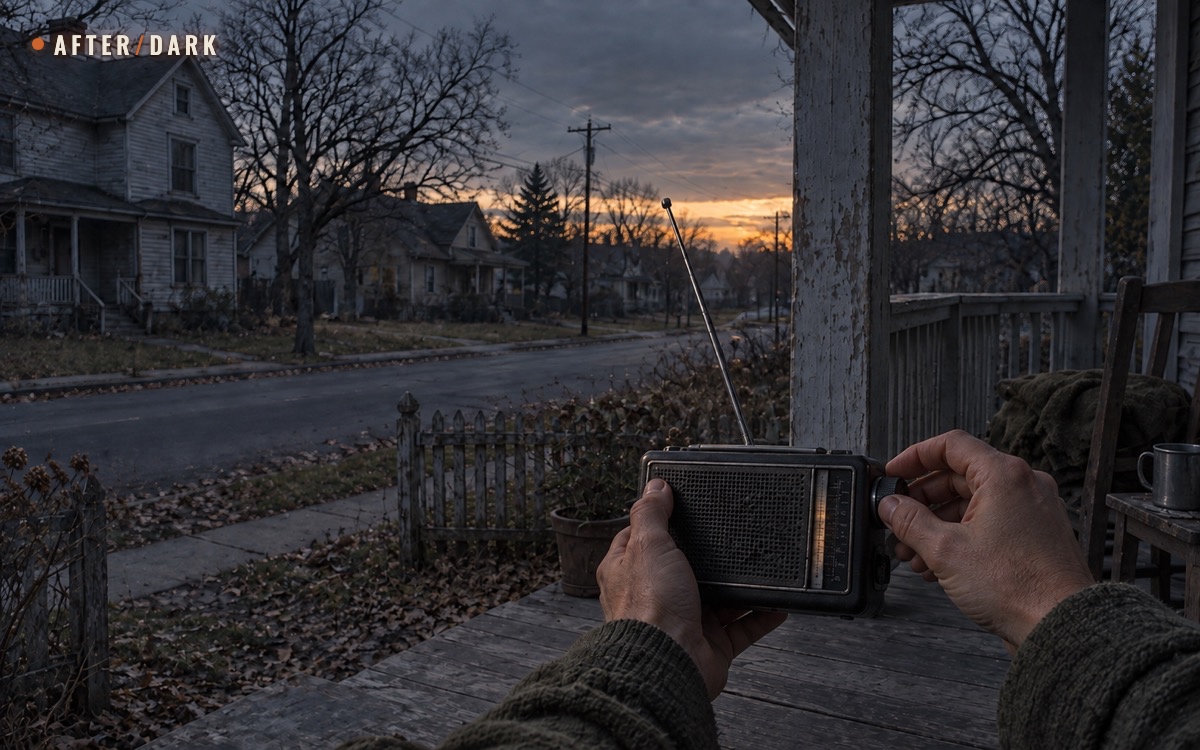
Short answer
Key takeaways
- Choose the local information service before choosing the receiver; emergency branding does not establish regional compatibility.
- Verify understandable speech in the actual listening location, using the power source you will rely on.
- Ordinary listening, automatic alert standby, and complete shutdown are different operating states.
- Test what survives a battery change, including presets, the selected band, volume, and alert configuration.
- Keep station details and the recovery procedure on paper so another household member can restore reception.
- Maintain another information route; a receiver cannot guarantee that a transmitter will remain available.
Choose an emergency radio around the broadcasts you need to receive. Confirm the local service, buy or reuse a compatible receiver, test it in your home on backup power, and write down the settings. Where automatic alerts are supported, configure and verify them separately from ordinary listening.
During a long disruption, the useful result is understandable information without dependence on home internet or wall power. A box containing a radio does not establish that result. Someone still needs to know the station, find a working reception position, recognize the operating mode, and keep the receiver powered.
This guide takes you from selection to a repeatable household test. It covers receiving public broadcasts, with regional examples clearly identified. Use it alongside your emergency communication plan, which assigns contacts, check-ins, and responsibility for sharing information.
Identify the Broadcasts Before Choosing the Radio
Begin with the local authority's preparedness information and the broadcaster's own reception pages. Find out which services carry relevant public updates in your area and how to receive them over the air. Write down the source of that recommendation as well as the station details.
The UK government's power-cut guidance recommends a battery or wind-up radio, spare batteries, and paper records of local or national news frequencies. This is a useful starting point for a household worksheet. The actual entries must come from your own location.
A national news service and a local bulletin serve different purposes. National coverage can explain the wider situation; the local service may carry information specific to your municipality or region. Identify what you expect each station to tell you before calling one a backup for the other.
Match the broadcast format
A receiver must support the service's actual band and format. Do not choose from the words “digital,” “weather,” or “emergency” alone. Open the exact model specification and compare it with the broadcaster's reception instructions.
Service-selection worksheet: fill this from current local guidance and the exact receiver specification.
| Service you intend to use | What to verify before buying | What to keep on paper |
|---|---|---|
| Local or national AM/FM broadcast | Required band, tuning range, and station availability at your address | Station name, frequency with units, and bulletin schedule if published |
| Terrestrial digital radio, such as DAB+ | Exact supported format and local broadcast coverage | Service name, band or mode, and how to select it after a scan |
| A dedicated alert service available in your region | Compatible receiver, coverage, and required alert features | Transmitter details, location settings, and the correct standby procedure |
| A station's internet stream | Whether a separate over-the-air version exists | Its broadcast details, if available; do not substitute the stream address |
Terrestrial digital broadcasting is different from internet streaming. Digitalradio Deutschland explains that DAB+ is received without an internet connection and requires a DAB+-capable receiver. A radio may offer both internet and broadcast modes, so verify which one is playing during your test.
In the United States, NOAA Weather Radio is a separate service requiring compatible reception equipment. Its receiver guide distinguishes listening features, tone alarms, and Specific Area Message Encoding, or SAME. Do not assume an ordinary AM/FM set receives it, or that NOAA features are useful in every country.
Make a short station list
For each candidate, record the service name, geographical area, spoken language, and reception method. Add the official page where those details were checked. When possible, include an alternative broadcast service rather than several presets for the same programme.
Keep “known station” and “tested station” separate. An online listing identifies a candidate; it does not prove that your particular radio receives usable speech inside your building. Leave the reception result unconfirmed until you have tried it.
If you already own a suitable receiver, test it before replacing it. A familiar radio that completes the household workflow may meet the task without additional features. Conversely, a new receiver that cannot receive the identified service has failed the selection step regardless of its packaging.
Choose an Emergency Radio You Can Actually Operate
Use the station list as a pass-or-fail requirement, then compare controls, power arrangements, and accessibility. The questions below are an editorial purchasing checklist, not a ranking of tested products.
Receiver acceptance checklist: ask for evidence from the manual or a hands-on test.
| Requirement | Evidence to look for | Household acceptance test |
|---|---|---|
| Correct reception modes | Exact bands and formats in the specification | Tune the intended service without a network connection |
| Understandable controls | Clear power, band, tuning, and volume instructions | Another household member reaches the station using your card |
| Usable backup power | Supported battery or charging arrangement | Operate the radio with its wall adapter disconnected |
| Recoverable station settings | Preset and manual-tuning instructions | Restore the station after changing bands or replacing batteries |
| Suitable speech output | Speaker, volume range, and compatible listening accessories | Understand a bulletin from the intended listening position |
| Automatic alerts, if required | Named service support and documented operating mode | Configure the correct area and verify the supported test behavior |
| Maintainable equipment | Accessible instructions and replacement-power details | Find the correct cable or battery set without searching online |
Try the controls before accepting the setup
A large feature list is less useful than controls the household can operate. Check whether a short press changes bands while a long press turns the unit off, whether tuning and volume share a knob, and whether a lock prevents accidental changes. Record the actual sequence instead of writing only “turn on radio.”
Presets are helpful, but retain the station name and tuning details separately. Someone may accidentally overwrite a preset or select the wrong mode. A recovery instruction should work from an unfamiliar screen, not only from the exact state in which you left the receiver.
Test the controls with the people who will use them. Can they read the display at the normal viewing distance, distinguish buttons, open the battery compartment, and understand the spoken programme? Ask the person to perform the task; watching someone else demonstrate it is a weaker check.
For supported US alert receivers, the NWS feature guide identifies external notification options such as strobes and other compatible alerting accessories. If an accessory is needed, verify the complete combination, its power supply, and its manufacturer's test procedure. The presence of a connector alone does not establish compatibility.
Read the manual for the exact version
Similar product names can cover different revisions. Save the instructions that match the model and hardware you receive. Copy the relevant power, tuning, preset, and alert pages into an offline folder, and keep a short paper operating sequence with the unit.
Pay particular attention to functions that share power or operating modes. The Midland ER310 guide says external-device charging suspends radio functions. This is an example of a dependency to check, not a reason to assume all combination radios behave identically.
If an important behavior is unclear, ask the manufacturer before counting it as a capability. “Probably keeps monitoring” is not an adequate entry on an alert plan.
Test Reception Where the Radio Will Be Used
Do the first reception test while ordinary services are working and you can check station details. Use the intended backup power source and follow the receiver's antenna instructions. Select the broadcast mode directly; a programme playing through a saved internet connection does not complete this test.
Choose a normal listening position and an alternative position that the household can reach comfortably indoors. The best result is a usable location you can describe precisely, such as “right end of the bedroom shelf,” rather than an unexplained mark on the dial.
The NWS reception guidance explains that terrain, building materials, nearby electronics, and room position can affect NOAA reception. Its practical implication is to test the actual placement instead of treating an advertised range or coverage map as a household guarantee.
Use speech as the test material
Listen to enough speech to identify the station and understand complete sentences. For a news bulletin, try to write the place, subject, and time mentioned without guessing. A faint voice or a signal-strength icon is not the same result as understandable information.
Use this repeatable sequence:
- Select the intended band and station using the written details.
- Confirm the station identity when it is announced or displayed.
- Set a comfortable listening volume and note the setting.
- Adjust the built-in antenna as the manual directs.
- Try the alternative indoor position while keeping the same station and power source.
- Return to the better position and confirm the result again.
Then change one variable at a time if reception is unsatisfactory. Compare positions, antenna orientation, or ordinary nearby electronic equipment. Avoid moving the radio, changing the station, and switching power sources together: that makes it difficult to know which change helped.
Record the test date and time. Repeat at a different normal listening time before treating the position as your only option. This is a household observation, not proof of uninterrupted future reception.
Reception log: use your own observations rather than copying a claimed range.
| Station and mode | Position | Power source | Speech result | Follow-up |
|---|---|---|---|---|
| Primary local service | Exact shelf or room location | Intended backup source | Clear, intermittent, or unreadable | Keep, retest, or reject position |
| Alternative service | Same position | Same source | Clear, intermittent, or unreadable | Record usable tuning details |
| Primary local service | Alternative indoor position | Same source | Clear, intermittent, or unreadable | Note the better location |
If an external antenna appears necessary, check receiver compatibility and obtain installation advice before relying on it. This guide's household test uses the supplied equipment and ordinary accessible locations; it does not require a roof installation to be considered complete.
Configure Automatic Alerts Separately from Listening
Being able to hear a broadcast verifies reception at that moment. Automatic notification adds other requirements: the receiver must support the service, have the correct settings, remain powered in the appropriate mode, and produce an output the household notices.
Write down which of these operating states you intend to use:
- Listening: a person is hearing the selected broadcast.
- Alert standby: a supported receiver remains powered and monitors for compatible alerts according to its manual.
- Fully off or without power: do not expect monitoring unless the manufacturer explicitly documents a separate active function.
A quiet speaker does not tell you which state applies. Check the mode indicator and the operating instructions. Also distinguish a clock alarm from an incoming broadcast alert; the word “alarm” can refer to different functions.
US example: programme a SAME receiver
For a US NOAA SAME receiver, NWS instructions require the appropriate transmitter and the six-digit location code for the selected area. The location code is not a station frequency. Follow the official lookup and the radio's own programming steps, preserving any leading zeros.
Confirm that the chosen transmitter actually serves the area you programme. NWS specifically cautions against selecting a louder or clearer station that is not designated for the intended SAME coverage. Record the transmitter, frequency, and location code as separate fields on the card.
Treat this as a regional example. For another service, use its own coverage information and configuration requirements. A radio receiving local digital broadcasts does not automatically establish that it can wake for that system's alerts.
Verify the expected test result
Use the service's published test information and the manufacturer's instructions to determine what successful reception should look or sound like. A local button test may check the sounder without proving that an over-the-air message was received. Keep those two observations separate.
For NOAA, the NWS missed-test guidance notes that a weekly test can be postponed because of conditions in the transmitter's area. A missing test therefore needs investigation; it is not automatic proof that the receiver has failed. Check official service status when available, then review reception and settings.
Record the date, expected indication, and actual result. If verification is incomplete, label the alert function unverified and retain your other official alert channels. Do not quietly promote ordinary reception into a promise of unattended notification.
Test Backup Power and Retained Settings
Power planning for a receiver has two separate questions: can it operate without the wall supply, and can the household maintain that operation for its planning window? Answer the first with a device test; answer the second with the broader power budget for phones, lights, and radios.
Follow the exact manual for battery type, installation, charging, storage, and replacement. Keep the compatible cable or complete replacement set with the radio's supplies. Do not label a container “radio batteries” until someone has matched its contents to the receiver.
Rehearse the changeover
Begin with a charged or correctly prepared backup source. Turn on the intended broadcast, note the mode, and disconnect only the receiver's ordinary wall supply where its instructions permit. There is no need to interrupt power to the whole home.
Check what actually happens. Does audio continue, restart, or stop? Is a battery selector required? Does the display clearly indicate the active source? If the device supports alert standby, check the documented mode indication again after the changeover.
For a radio with replaceable cells, rehearse the normal replacement process according to the manual. Then verify the selected band, station, presets, clock if used, volume, and alert configuration. Note both settings that survived and settings you had to restore.
A reset is manageable when the recovery instructions are beside the device. It becomes a larger problem when the location code or station list exists only on a web page that no one saved.
Record usable listening time without inventing endurance
Do not turn a headline battery capacity into a promised number of days. Your operating pattern needs its own evidence. Log ordinary sessions using the intended mode and volume, and keep listening time separate from time spent in alert standby or powering other functions.
For a simple planning example, four listening sessions of 15 minutes equal one hour of active listening per day; over seven days, that totals seven hours. Those figures are editorial arithmetic, not a recommended monitoring schedule or a claim about any receiver's battery life. They exclude standby and every other use.
Choose your actual listening pattern around official directions and the information service's bulletin times. Where continuous monitoring is needed, intermittent listening is not an equivalent substitute. Household energy budgeting should support the chosen information plan rather than silently changing it.
Keep the result modest: “completed our planned listening sessions on this source” is useful evidence. “Will last indefinitely” is not. Restore the reserve after testing and record when it was replenished.
Treat additional charging features as capabilities to verify
A crank or integrated solar panel introduces another operating procedure. Before counting either as part of the plan, follow the manufacturer's instructions and observe what it contributes under your own conditions. Record the task performed and the usable result; do not extrapolate a brief demonstration into a week of listening.
Likewise, test a power bank with the actual radio and cable. Establish whether it powers operation, charges an internal battery, or supports both. Write down the connection sequence that worked. If the same reserve is allocated to phones, keep that shared use visible in the household power budget.
Make a Paper Station and Settings Card
The card is the bridge between the person who configured the radio and the next person who needs it. It should restore the working setup without a browser, account, or explanation from memory.
Keep the main operating sequence short enough to follow beside the receiver. Put longer manual pages behind it. A photo of the controls can help, but written button names and settings should remain readable independently of the photo.
Radio setup card: complete these fields for the actual device and location.
| Field | Record this |
|---|---|
| Receiver | Model and version; where matching instructions are stored |
| Primary service | Station name, band or format, frequency with units when relevant |
| Alternative service | Separately tested station and tuning details |
| Reception position | Exact location and antenna arrangement that worked |
| Start listening | Power, band, tuning or preset sequence, and usable volume |
| Alert function | Supported or unavailable; standby procedure and expected indicator |
| Location configuration | Applicable transmitter and area code, or not applicable |
| Backup power | Correct source, selector position if used, cable or replacement set |
| Recovery after power loss | Settings to verify and any steps needed to restore them |
| Information routine | Person responsible, next listening time, and where notes go |
| Last verification | Test date, result, and unresolved limitation |
Distinguish a preset number from a frequency. Write units beside a frequency, and keep digital service names as they appear on the receiver. If the card names a menu, use the wording on that device rather than an abbreviation only its owner understands.
Give the card a clear home: attached to the receiver's storage pouch or beside its normal listening position. Keep a second copy with the household communication plan if the radio travels. When settings change, replace outdated copies instead of leaving conflicting versions in circulation.
Run a No-Internet Household Drill
Combine the receiver test with your home power-outage rehearsal. The aim is to reveal dependencies while services are available, not to reproduce every inconvenience of an actual disruption.
Ask another household member to use the paper card and prepared supplies without consulting the person who configured the device. Keep ordinary communications available; the drill only requires that participants avoid using them to solve the radio task.
Have the participant complete these actions:
- Find the receiver, instructions, and designated backup power.
- Reach the primary broadcast from the device's current state.
- Identify the station and write a short, accurate account of something heard.
- Change to the alternative service and return to the primary one.
- Perform the documented power changeover and check settings.
- Leave the receiver in the intended listening, standby, or storage state.
Review the result together. If a step required verbal help, add the missing instruction or simplify the setup. If the station could not be understood, return to the reception test rather than marking the drill complete because the screen lit up.
Also test the handoff. The next person should be able to find the last listening note, distinguish confirmed information from an unanswered question, and know when responsibility transfers. This connects the radio to the household plan instead of making one person its permanent operator.
Record Bulletins and Handle Missing Reception
Use a short listening log with the station, time heard, area concerned, source named in the bulletin, and the update itself. If the broadcaster gives a message time or next update time, record that separately from the time you tuned in.
Preserve uncertainty. Write “place name unclear” or “missed the start” instead of filling gaps from memory. A second listener can compare notes, or you can listen for a repeat. Do not pass an incomplete sentence around the household as a confirmed instruction.
When reception stops, work through a bounded recovery sequence:
- Confirm power, selected mode, volume, and the written tuning details.
- Try the already tested alternative position using the manual's antenna guidance.
- Check the alternative recorded broadcast.
- If another connection is available, consult the broadcaster's official service-status information.
- Use the household's other information route if reception remains unavailable.
Do not assume silence proves either an all-clear or a wider collapse. The receiver, local reception, and transmitter are separate dependencies. Note what you could verify and what remains unknown.
Agree in advance how the household shares an update obtained through another route, such as an available official phone service or a designated contact relaying an identified authority's notice. A neighbour's summary needs its source and time, too. This article's setup cannot guarantee that radio infrastructure will continue operating throughout a prolonged disruption.
Maintain the Setup Between Outages
Treat the completed card as a maintained household tool. Set a review reminder that fits the manufacturer's charging and storage instructions and any supported service-test schedule. Record a real next review date rather than leaving “check regularly” as the whole plan.
At review, confirm that the intended stations still operate, the saved instructions match the device, the backup source is ready, and the card reflects the current settings. Listen from the designated position and inspect the equipment according to its manual.
Retest after moving home, replacing the receiver, changing the power source, or making a relevant configuration change. Review regional details before taking the radio elsewhere. If the household relies on location-based alerts, include their configuration in that review.
Finish maintenance by returning everything to the agreed state. A successful test followed by an empty battery compartment or an unintentionally disabled alert mode leaves the next user with unfinished work.
Zombie Scenario: The Evening Bulletin
Fictional scenario
On the fourth evening of a prolonged outage, the household's phones no longer load local updates. The radio is where its card says it should be, but someone used it for music earlier and left it on another band.
Mara follows the written start sequence, selects the recorded local station, and moves the receiver to the shelf used in the household test. She can understand the bulletin there. She writes the station, the time, and the area mentioned instead of repeating a neighbour's claim that every district has received the same notice.
Before handing over to the next listener, she checks the available battery set and leaves the receiver in the state specified on the card. The household's ordinary radio has no automatic alert function; the next listening responsibility is written down rather than assumed.
The plan has not made the broadcast network permanent. It has made this receiver usable by more than one person, with a known fallback if the next bulletin cannot be heard.
Frequently Asked
Does a digital display mean the radio receives DAB+?
Can a radio app replace a separate receiver?
Can one radio cover home and a travel destination?
Is a receiver without automatic alerts still useful?
Should the radio also be the household phone charger?
Sources
- UK Government Prepare — Power Cuts
- National Weather Service — NWR Receivers
- National Weather Service — Using NWR SAME
- National Weather Service — NWR Reception
- National Weather Service — NWR Outage Reporting and Missed Tests
- Digitalradio Deutschland — DAB+ Frequently Asked Questions
- Midland — ER310 Emergency Crank Weather Alert Radio User Guide
Related guides
How to Keep Phones, Lights, and Radios Powered During a Long Outage
Build a small-device power system around measured demand, compatible charging chains, distributed lighting, and a written no-outlet test.
How to Build an Emergency Communication Plan
Create a household contact system that still works when phones, power, internet, or normal meeting routines become unreliable.
How to Build a Home Power Outage Plan for a Long Blackout
Turn separate outage supplies into one tested household sequence for lighting, food, communication, water, temperature control, and recovery.