How to Communicate Without Cell Service or Internet
Choose a way to exchange messages during an outage or beyond coverage, including what to do with only a phone or no working devices.
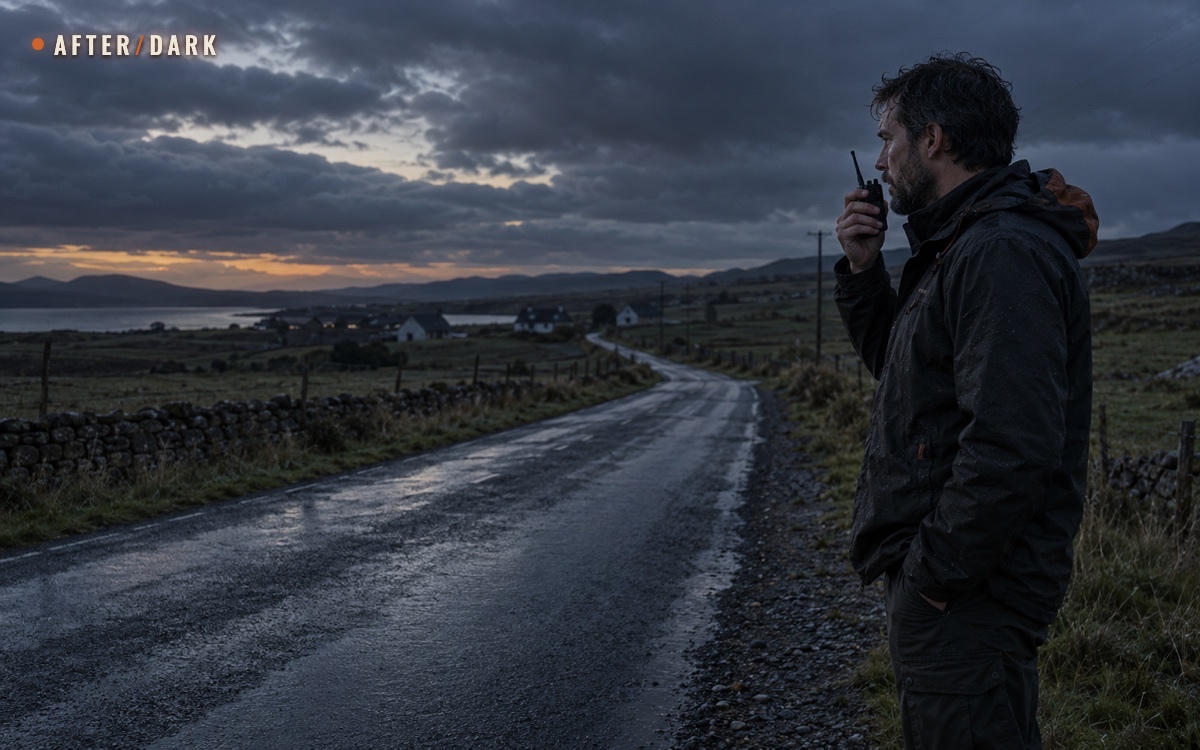
Short answer
Key takeaways
- Choose the link for both people: their equipment and connection matter as much as yours.
- Test radios along the actual route; an advertised maximum distance is not a coverage map.
- Prepare satellite service, contacts, and the reply method before leaving ordinary coverage.
- Keep a practical reunion or signalling option for when no powered link remains.
- A useful test ends with the recipient repeating the message and the agreed next action.
A traveller outside mobile coverage needs to tell someone where they are. Neighbours during a blackout need to coordinate a pickup. Two walkers separated by a bend need to speak to each other. These situations call for different connections, even though all three phones might show the same empty signal indicator.
Start with the person you want to reach and the resources you both have. Here, without grid electricity means operating without a wall outlet; radios and satellite devices still use stored electrical energy. A broadcast receiver can supply news, but exchanging your own message requires a transmitting device and a reachable listener.
Choose a Connection for Both Ends
Identify the recipient, their likely location, and what they can use there. If they are in the same outage, sending to their ordinary phone number may leave the message waiting for their service to return.
Choose by the contact you need; operating details and regional conditions follow below.
| Your situation | A useful option | What the other person needs | First practical check |
|---|---|---|---|
| Nearby companions or neighbours; both have equipment | Compatible two-way radios | A powered, listening radio on matching settings | Exchange a message from the locations you actually use |
| You are beyond coverage; a distant contact is online | Satellite messenger or supported phone satellite messaging | A supported SMS, app, or email destination with a working connection | Confirm they can receive and reply |
| Both people are far apart and outside mobile coverage | A satellite arrangement that supports both endpoints | Their own compatible, active satellite capability | Test that specific device-to-device path |
| You need a live conversation over distance | Satellite phone | A reachable telephone or compatible satellite service | Test outbound calling and the return call |
| You have only a charged phone | A supported satellite feature, if available | The recipient arrangement required by that service | Check the phone's actual features and local availability |
| No working phone, radio, or other equipment | Voice, visible contact, or a known reunion arrangement | Someone within reach, or a shared meeting plan | Keep the group together and establish a clear location |
Do not treat “satellite,” “radio,” and “emergency” on packaging as interchangeable functions. The useful question is: can this person receive my message in their present situation, and can I receive the reply?
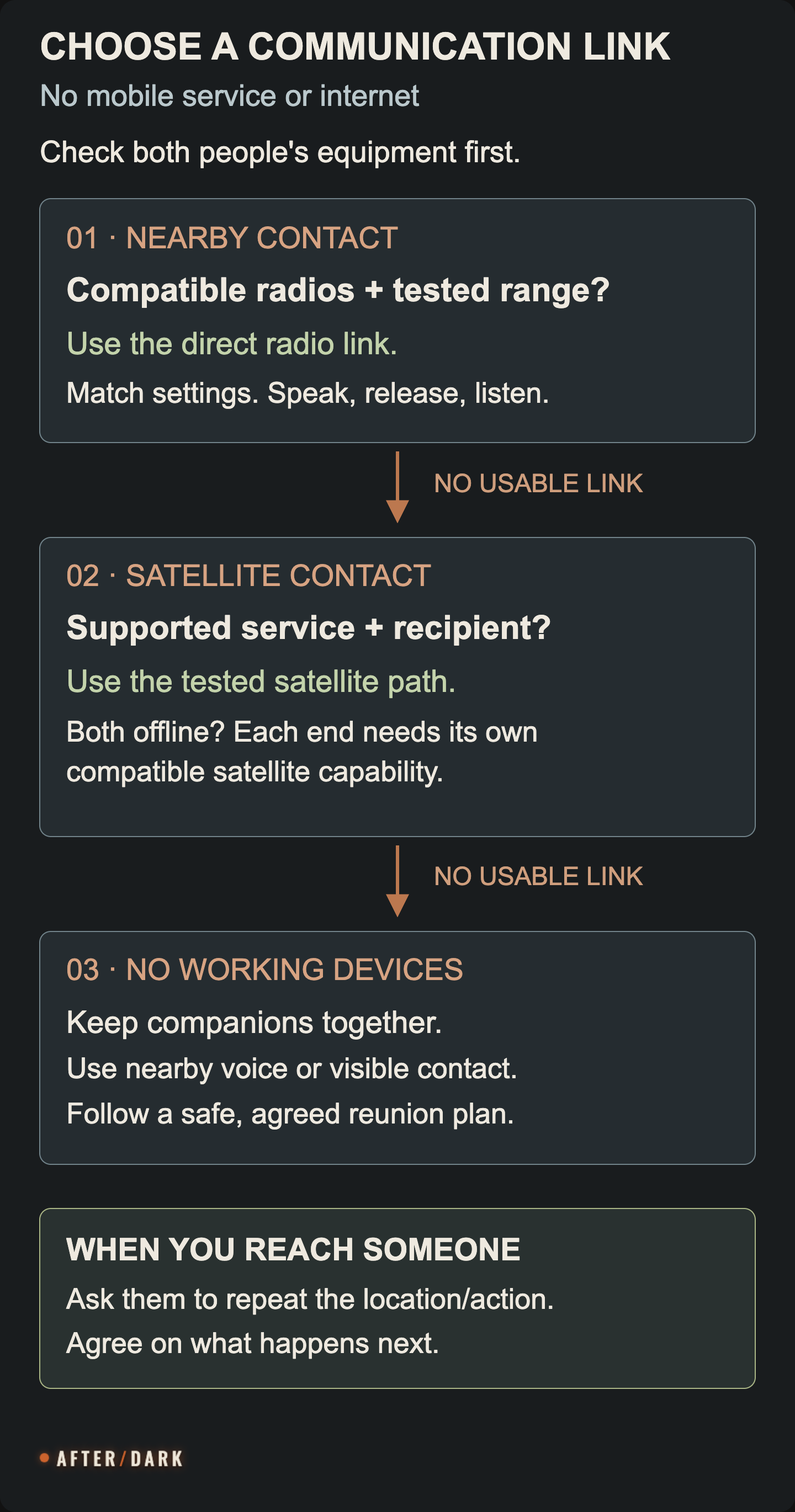
If You Have Only a Phone—or No Working Devices
A charged phone with no ordinary connection
Check the features already available on the phone. Some support satellite contact, but availability depends on the model, software, country, and service. For example, Apple's satellite messaging requirements specify supported iPhones, regions, software, and an active SIM; SMS support also depends on the carrier. Its ordinary messaging feature and Emergency SOS are separate functions. If you need urgent assistance, use the local emergency-call option or supported emergency satellite function and follow its instructions.
If a supported satellite option is available, follow its connection assistant from a safe outdoor position with a clear view of the sky. Send the essential location and request first. Allow time for transmission, then remain available for the reply rather than putting the phone away immediately. Before a future trip, try the demonstration mode and complete any required setup while you still have service.
If that option is unavailable, turn to contact you can actually establish nearby: a companion with different equipment, a staffed location you can safely reach by a known route, or another person who can relay a message. Give them the recipient and the exact information to pass on. Agree whether they can report back; an unconfirmed relay is still an unresolved exchange.
No powered equipment, including no equipment at all
If you are still with others, stay together while agreeing on the next step. In a familiar area, use the meeting place already agreed with absent companions if it remains safe and reachable. If you never made that agreement, choose an identifiable location with the people present; do not assume someone elsewhere will guess it. At a staffed meeting or information point, ask whether a message can be left for the named person.
If you have just lost sight of companions outdoors, stop moving and try nearby contact. Call their names, pause, and listen. If someone answers, establish who is speaking and describe the last shared landmark. Coordinate from known positions rather than having both sides wander toward sounds. Wave when someone comes into view. These actions use your voice and visibility without assuming a whistle, light, map, or spare battery.
If you are alone and cannot identify the route, keep a stable position while seeking contact. The Forest Service advises stopping and avoiding uncertain movement when lost. Call when you hear people, listen for an answer, and make yourself visible from a nearby safe position. Move to nearby safer ground if your position is threatened; do not climb, cross water, or leave a known trail merely to seek a signal. If a passerby reaches you, explain that you need help and agree what they will relay and where you will wait.
A group that notices someone missing has a different task: gather together and, where safe, return along the known route to the last shared location. NPS guidance says to keep that search on the trail. If contact cannot be restored, use the lost-in-the-woods guide for the fuller decisions about waiting, shelter, and contacting help. No reply means that contact has not yet been established; a search may not have started.
Use Two-Way Radios for Nearby Contact
For separated groups within a tested local area, handheld radios can provide a direct voice link. Each separated group needs a compatible unit, someone who can operate it, and enough power for the period when the others expect it to be listening.
Match the equipment before separating
Use equipment approved for the country where it will operate. In the United States, FRS is covered by the personal-radio authorization rules, while GMRS requires an individual licence. In the UK, Ofcom lists compliant PMR446 equipment as licence-exempt. These are regional examples, not interchangeable standards for international travel.
Start with both radios beside you. Read the manuals for their exact regional versions; a similar case or the same displayed channel number does not establish compatibility. On compatible units, match the channel and any receive-filter setting, sometimes called a privacy code or sub-code. If using codes, compare the actual settings described by both manuals.
For example, the Midland T60 guide ties missed reception to mismatched channels or privacy codes. It also distinguishes normal two-way operation from weather reception. Check the operating mode and volume before treating silence as a range problem.
Make the first exchange
- Listen before transmitting so you do not talk over someone already using the channel.
- Name the person or group you are calling and identify yourself.
- Hold the push-to-talk button while speaking clearly, with the microphone positioned as the manual directs.
- Release the button to listen. Holding it down prevents an ordinary half-duplex conversation from alternating properly.
- Ask the recipient to repeat the important detail, then confirm it.
These basic talk-and-listen controls are described in Motorola's T82 manual. Practise them before relying on a conversation through wind, clothing, or background noise.
An example exchange is: “Gate team, this is Sam at the south car park. We are waiting beside the noticeboard. Please confirm the location.” The useful answer repeats “south car park, noticeboard.” A beep alone does not tell you which words were understood.
Find the usable area
Radio range changes with the surroundings and terrain; the manufacturer's maximum distance is not a promise for a particular building or valley. Test the places that matter under ordinary safe conditions: inside the house, outside the entrance, along the walking route, and at the intended meeting point.
Keep an agreed way to regroup during the test. At each point, exchange a different short phrase in both directions and record whether it was understandable. Mark a failed location as a gap. A test that works in only one direction has not completed the task.
If reception fails during use, check power, volume, mode, channel, and code first. Try another nearby safe position if available. Use only a known safe route when moving; restoring radio contact does not justify hazardous ground. Follow the fallback already agreed with the other group rather than changing channels unpredictably.
Reach Someone Farther Away by Satellite
Satellite messaging is useful when your destination is beyond the reach of a local radio link. Preparation includes the device or supported phone, service availability, an active plan where required, and a recipient who knows how to answer.
Work out how the message reaches the recipient
A satellite communicator can provide the remote end of a connection while the recipient uses ordinary communications. That does not make the recipient's own outage disappear. Write down the complete intended exchange: your device → its service → their reachable destination → their reply.
If both people lack terrestrial service, confirm a supported satellite path at both ends. For example, Garmin's inReach Messenger Plus manual supports messages to another inReach device as well as SMS and email destinations. Set up the appropriate contacts and test that exchange before separating. Two products described as satellite messengers do not automatically share every messaging feature.
Keep the device's own controls in mind if your phone dies. ZOLEO distinguishes standalone check-in and SOS buttons from fuller messaging through its paired app. When comparing equipment, ask what you can compose, send, and read without the phone. That answer determines whether a flat phone leaves you with full communication, a preset message, or a different limited function.
Prepare, send, and wait for the reply
Before departure, activate the required service, confirm coverage and local permission to use it, install any companion app, and synchronize contacts. Run the documented service test. Garmin's manual, for example, requires an active subscription and an outdoor test before a trip; it also describes different message-checking modes that affect when replies arrive.
During use, position the equipment as its instructions specify, with a clear sky view where it is safe to obtain one. Send a concise message with your location, time, and requested action. Check its status, keep the receiver available, and use the documented message-check function if necessary. A still-pending message calls for checking the connection, not sending several conflicting versions of the plan.
For instance: “14:10. At the signed east trail entrance. We are staying here. Please confirm you can collect us and state your arrival estimate.” The reply should establish whether the pickup is actually agreed. If circumstances change, identify the next message as an update and state which earlier arrangement it replaces.
When a satellite phone is the better fit
A live conversation may be more practical when the parties need to clarify several details. A satellite phone also requires its service to be ready, suitable sky visibility, and a reachable destination. Iridium's calling instructions distinguish calls to ordinary telephone numbers from calls between satellite phones and give the required international dialling formats.
Save numbers in the format the service requires, and have the recipient practise calling back. Check the provider's calling charges and service terms before the trip. If the other person has only a mobile phone in a failed network, your satellite handset does not by itself restore their end of the call.
Keep the Connection Available Through a Power Outage
Give each communication role its own practical power arrangement: the traveller's radio, the receiving radio, the satellite device, and any phone required to operate it. Put the correct cable or approved spare batteries with the equipment. Use the small-device power plan for capacity calculations and recharging rather than guessing from a battery icon.
Agree when routine contact is expected and what happens if it is missed. A radio switched off to save energy cannot hear a call at an unannounced time. Satellite devices may have scheduled message checks. Match those settings to the contact arrangement, and preserve access for ongoing emergency communications if you have requested help.
Receiving public instructions is a separate job. Use the emergency radio setup guide to maintain that information source while your two-way equipment handles personal messages. For contact names, meeting places, and a wider relay arrangement, connect these devices to the household communication plan.
Test the Whole Exchange Before Depending on It
Run this exercise with the people who will use the equipment. Keep ordinary help available; the exercise only asks participants to avoid using the unavailable channel to complete the test.
A communication test is complete when both people can carry out the agreed next action.
| Test | What to do | Evidence it worked |
|---|---|---|
| Real starting locations | Use the devices from their expected locations | Both directions carry understandable words |
| Missing mobile service | Disable the phone's mobile data and Wi-Fi for a satellite test; retain required Bluetooth | The device indicates the intended satellite path, and the recipient replies |
| Phone unavailable | Put the paired phone aside and use the device's own controls | The operator knows exactly which functions remain |
| Power change | Use the approved backup supply or replacement batteries | Settings remain correct and another exchange succeeds |
| Message understood | Send a test location and a simple next action | The recipient repeats both accurately |
| No answer | Walk through the missed-contact rule together | Both people identify the same next attempt or reunion action |
Record the date, equipment, tested locations, settings, and any failed step. Resolve those failures before calling the arrangement ready. Repeat the affected checks after changing a device, contact, subscription, setting, or location; an old successful test does not establish a new connection.
Zombie Scenario: The Pickup That Needed a Reply
Fictional scenario
During a fictional zombie outbreak, mobile service disappears across a rural district. Mara and Jules have separate jobs: Mara waits at the agreed pickup point while Jules collects supplies from a nearby store. Their radios worked between those locations during an earlier test.
Jules calls, but Mara hears only the first part. She asks for the location again instead of interpreting the fragments as a change of plan. He repeats that he is still at the store entrance and will call before leaving. Mara reads that back.
Their distant contact also needs an update. Mara's satellite device is configured to reach that person's active satellite endpoint because the contact's mobile network is unavailable too. She sends one time-stamped message and waits for a reply. The reply confirms the update, without changing the local pickup arrangement.
The two links solve different distances. The shared plan tells each person what the confirmed message means they should do next.
Frequently Asked
Can a walkie-talkie app replace actual radios?
Can a mesh messenger such as Meshtastic help?
Does a personal locator beacon let me message my family?
Will an emergency button on a walkie-talkie contact rescuers?
Do all household members need their own device?
Can I practise without sending a real distress alert?
Sources
- Midland — T60 Series Two-Way Radios User Guide
- Motorola Solutions — Talkabout T82 Owner's Manual
- eCFR — 47 CFR 95.1705, GMRS Licensing
- Ofcom — Licence-Exempt Devices
- Apple — Messages via Satellite on iPhone
- Garmin — inReach Messenger Plus Owner's Manual
- ZOLEO — Satellite Communicator Features and Requirements
- Iridium — Making Calls
- National Park Service — Outdoor Emergency Plan
- US Forest Service — If You Get Lost
- Zello — Connection Requirements
- Meshtastic — Introduction
- NOAA SARSAT — Emergency Distress Beacons and Return Link Service
Related guides
How to Build an Emergency Communication Plan
Create a household contact system that still works when phones, power, internet, or normal meeting routines become unreliable.
How to Choose and Set Up an Emergency Radio
Match a receiver to local broadcasts, find a reliable listening position, and test its controls, alert settings, and backup power before a long outage.
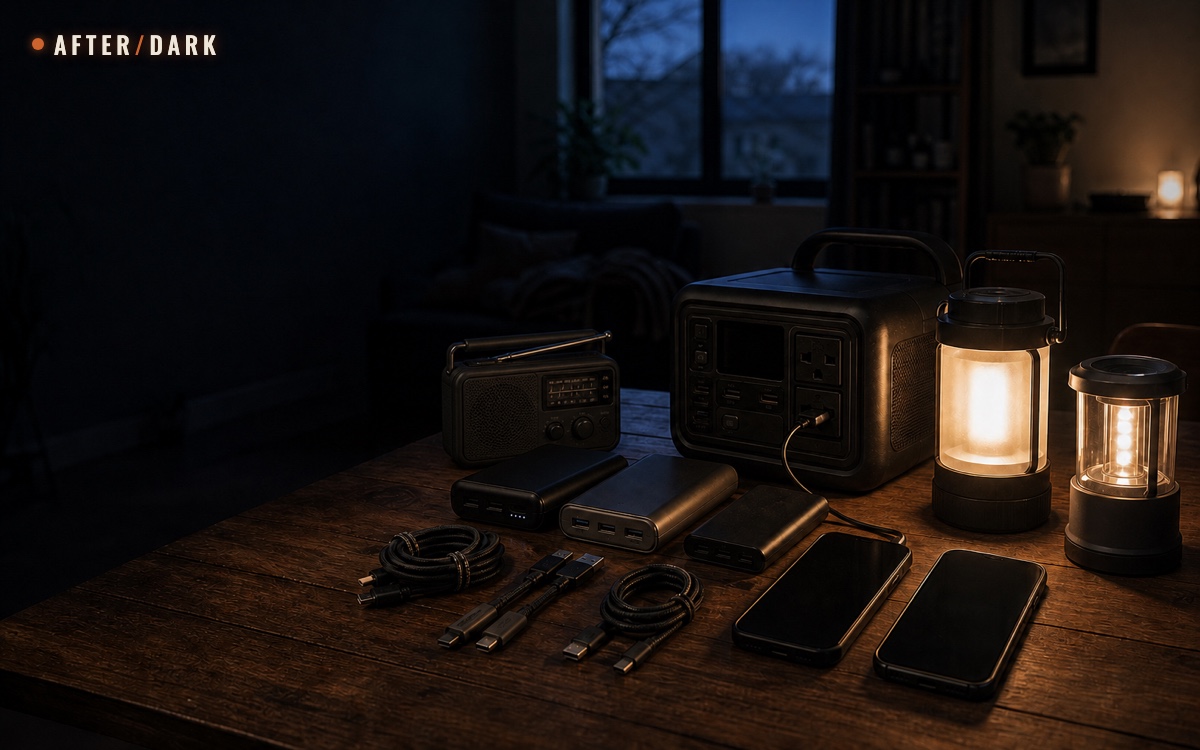
How to Keep Phones, Lights, and Radios Powered During a Long Outage
Build a small-device power system around measured demand, compatible charging chains, distributed lighting, and a written no-outlet test.