How to Build a Grab-and-Go Emergency Document Kit
Create a compact, protected document system that remains usable during an evacuation, extended outage, or loss of internet access.
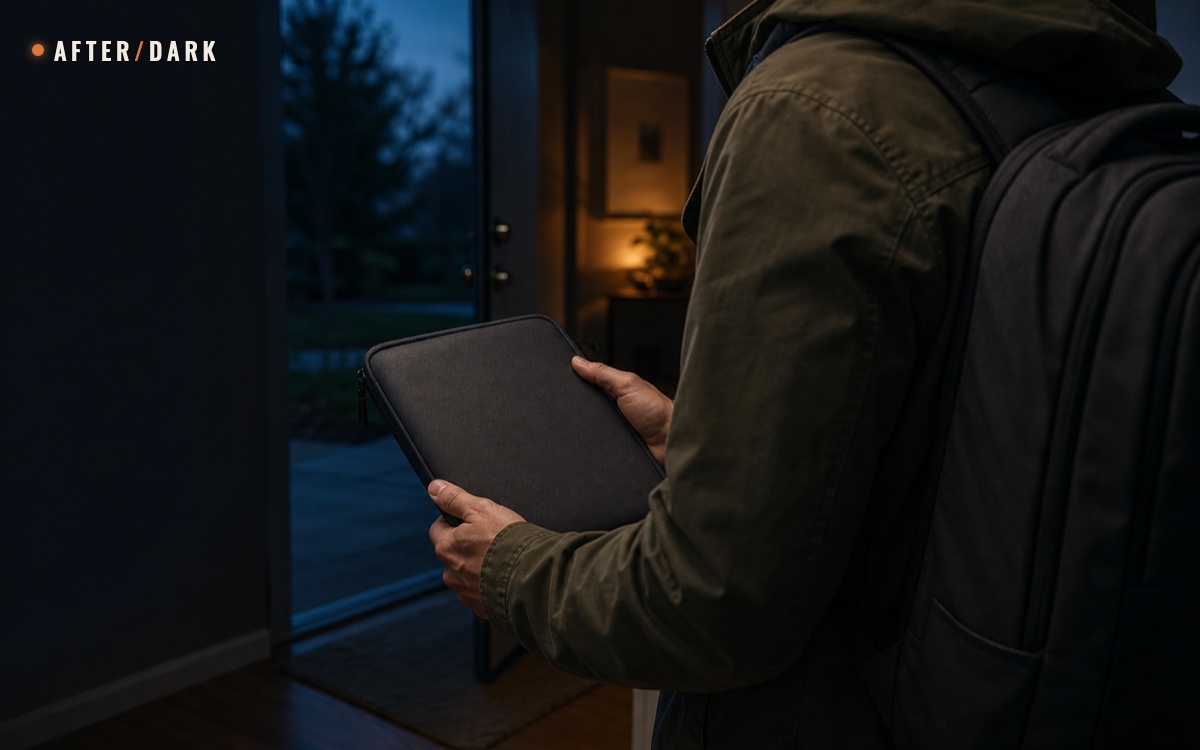
Short answer
Key takeaways
- Use three separate layers: portable paper copies, a protected digital backup, and originals stored in their normal secure location.
- Track each document by category, format, location, authorized user, expiration date, and next review date without putting private details on the external label.
- Carry only the information needed for identification, contact, access, and recovery; unnecessary copies create unnecessary privacy risk.
- Encrypt sensitive digital files, back them up independently, and store the recovery key or password separately from the device.
- Review the kit after every material change and run a five-minute offline retrieval test at least twice a year.
Build an emergency document kit as a small access system, not as a folder containing every record you own. Keep the minimum useful paper copies in a portable pouch, maintain encrypted digital backups with independent access, and leave originals in their normal protected location unless a current requirement makes an original necessary. The finished kit should let an authorized household member identify people, confirm essential arrangements, reach the right contacts, and begin ordinary recovery tasks when home internet or cloud access is unavailable.
This guide owns the document inventory, copy layers, privacy controls, storage map, update record, and retrieval test. Use the bug-out bag guide to decide how the finished pouch fits into a portable load, the emergency communication plan to create contact and meeting cards, and the home supply organization guide to assign a secure physical location.
Define What the Kit Must Do
The kit has four jobs:
- identify household members and important relationships when a normal account or device is unavailable;
- provide the references needed to contact institutions, property managers, insurers, or other existing service providers;
- preserve the household's current communication, destination, and access information;
- point an authorized person to protected originals or digital backups without exposing those records unnecessarily.
These jobs are narrower than “copy everything.” A thick binder is slower to maintain, harder to carry, and more damaging to lose. The portable layer should contain only what helps the household complete a likely administrative or coordination task away from home. The protected home layer and encrypted backup can hold the broader record set.
FEMA recommends beginning with an inventory of household documents, contacts, and valuables. Use that inventory to make decisions before scanning files or buying a pouch. For every record, ask:
- What task would this record support?
- Would a reference number or copy be enough?
- Who is authorized to use it?
- Does the task require paper, digital access, or an original?
- What happens if this copy is lost?
- What event or date makes the copy obsolete?
If the task is unclear, keep the record in the protected master inventory rather than automatically placing it in the portable kit.
Build a Master Document Inventory
List categories first. Do not put complete identification numbers, account credentials, or other private values in the working inventory unless the inventory itself is protected to the same standard as the documents.
Useful categories may include:
- household identification and relationship records;
- proof of residence, ownership, tenancy, or responsibility;
- current insurance and property references;
- vehicle and transport records;
- household contact, meeting, and destination information;
- animal ownership and identification records;
- photographs or an inventory of significant household property;
- institution names, service numbers, and claim or customer-reference details;
- instructions showing where protected originals and recovery information are kept.
CDC describes emergency paperwork as documents and personal data that may prove identity or insurance and advises collecting and protecting them before an evacuation. Its examples are a starting point, not a universal rule. Document requirements differ by country, household, destination, and issuing organization. Confirm whether a copy is accepted for the task you expect it to support.
If a disruption has already left you overseas, the guide to being stranded abroad during a crisis explains how to contact the document issuer and check permitted stay, replacement documents and the proposed journey.
Master inventory: record access facts without reproducing the document itself.
| Field | What to record | Why it matters |
|---|---|---|
| Category | Plain-language record type | Keeps the system understandable without exposing the full contents |
| Purpose | Identification, contact, property, transport, access, or recovery task | Prevents copies with no defined use |
| Format | Original, certified copy, ordinary copy, scan, photograph, or reference only | Shows what the household actually has |
| Portable layer | Yes, no, or verify requirement | Stops the departure pouch from becoming the master archive |
| Protected location | Room, cabinet, safe location, or named digital store | Makes the source retrievable by an authorized person |
| Authorized user | Role or household member who may access it | Limits casual distribution of private records |
| Expiration or change trigger | Expiration date, renewal, move, replacement, or household change | Identifies when the copy becomes unreliable |
| Last verified | Date the copy was opened and compared with the current record | Distinguishes a real check from a planned check |
| Next review | Household review date | Keeps maintenance visible |
Use status labels such as CURRENT, REPLACE, VERIFY, and REMOVE. A missing record and an unverified record are different problems; the inventory should show which one exists.
Use Three Independent Access Layers
A dependable kit does not make one folder responsible for every failure. Divide the system into portable paper, protected digital, and original-record layers.
Three-layer document system: each layer solves a different access problem.
| Layer | Purpose | Contents | Main failure to prevent |
|---|---|---|---|
| Portable paper | Works without power, internet, an account, or a particular device | Selected copies, contact card, compact index, and location references | Excess volume, privacy exposure, and outdated pages |
| Protected digital | Preserves readable duplicates and a broader record set | Encrypted scans or photographs, inventory, and offline-access instructions | Lost passwords, one-device dependence, and unreadable files |
| Protected originals | Preserves authoritative source records | Originals and any copies that must remain in their normal secure location | Damage, unauthorized access, and confusion about where the source record lives |
Independence matters. Two digital copies in the same phone do not provide two access layers. Two paper packets in the same bag share the same loss. A cloud account that requires a code sent to the unavailable phone may not be independently accessible.
The portable index should identify where another authorized layer exists without revealing unnecessary detail. For example:
PROPERTY RECORDS — protected home file HALL-CABINET-A — encrypted backup set 2026-08-04
Do not write a password, complete government identifier, payment-card number, or access code on the outer index. The index is a map, not a duplicate of every secret it locates.
Select the Portable Paper Set
The portable layer should be compact enough to inspect as one packet and useful without another device. Start with one page that identifies the kit version and its sections.
A practical packet may contain:
- copies of the identification or relationship records the household has verified as useful;
- current insurance or property reference pages required for ordinary contact or claims;
- vehicle, animal, or access records relevant to the household's plan;
- the current household communication card and confirmed destination details;
- a list of institutions and current public contact channels;
- a protected inventory showing where originals and digital copies are stored;
- a blank page for dated notes, reference numbers, and follow-up tasks.
Do not place full account credentials or a general password list in the packet. Do not carry an original merely because it is important; verify whether the planned task requires it. If an original must travel, record who is responsible for it and return it to its protected location after the trip or review.
FEMA Ready includes copies of insurance, identification, and account records in its emergency supply list and recommends a portable waterproof container. Apply the container guidance without turning the pouch into an obvious target:
- choose an opaque, water-resistant enclosure sized for the selected copies;
- keep every page inside a closed inner sleeve or divider;
- use a neutral external label such as
HOUSEHOLD FILE — VERSION 2026-08; - put the detailed contents list inside, not on the exterior;
- avoid unnecessary duplicate pages and loose originals;
- inspect closures, seams, and paper condition during every review.
Water resistance is protection from ordinary exposure, not a guarantee against every condition. Follow the enclosure manufacturer's limitations and replace damaged materials.
Create a Protected Digital Backup
Digital copies add searchability and redundancy, but only if the household can open them under the conditions in the plan. A scan locked behind a forgotten password or a cloud login tied to one unavailable phone is not ready.
CISA recommends encrypting stored data and maintaining secure backups. Its guidance distinguishes device, removable-drive, and file encryption and warns that losing the associated recovery information can permanently block access.
Use the security features and instructions supplied by the operating system, storage provider, or file application you already maintain. This article does not recommend a particular encryption product. For each backup, record:
- the storage location and device or service required;
- whether the files are available without home internet;
- the file format and application needed to open them;
- who is authorized to access them;
- where the recovery key or password is stored separately;
- the last date the files were opened and compared with the inventory.
Keep at least two independent dependencies. One possible arrangement is an encrypted removable copy stored securely and a protected remote backup available through a separately recoverable account. The correct arrangement depends on the household's devices, technical ability, privacy requirements, and current provider instructions.
Do not assume that a thumbnail proves a document is readable. Open representative files, zoom into identification details, check multi-page scans, and confirm that filenames are understandable without viewing every document.
Use plain filenames that reveal only what is necessary:
household-id-copy-01.pdf
property-policy-summary-2026.pdf
communication-plan-2026-08.pdf
Avoid putting complete account numbers, government identifiers, or passwords in filenames because filenames and metadata may remain visible even when document contents are protected.
Minimize Privacy Exposure
An emergency copy is still sensitive. Portability increases the chance of loss, casual viewing, or theft, so every added page needs a defined benefit.
The Federal Trade Commission advises keeping records containing personal or financial information in a safe place and destroying them securely when they are no longer needed. Apply that principle throughout the kit lifecycle:
- carry the minimum copy needed for the documented task;
- cover or omit fields that are not required on a working reference copy;
- keep external labels generic;
- give access only to household members who need it and understand the system;
- do not leave the packet permanently visible in a vehicle, shared corridor, or public-facing storage area;
- replace obsolete pages and dispose of them using a method appropriate for sensitive records;
- remove old digital copies from ordinary folders after the protected replacement has been verified.
Do not photograph real records for the cover image, a household test, or an example shared outside the household. Use blank templates or fictional values when demonstrating the system.
Privacy also means knowing what not to carry. If a phone number and reference ID can start the task, a complete statement may be unnecessary. If a digital copy is enough, the original may remain protected. If one authorized adult needs a record, distributing it to every bag may create more risk than resilience.
Assign a Secure Physical Location
The kit must be secure and retrievable. Hiding it so thoroughly that only one person can find it creates a single-person dependency; placing it openly beside the door exposes private information.
Choose a location that is:
- inside the household's controlled space;
- dry and compatible with the pouch and paper;
- reachable without moving heavy containers;
- clear of doors, stairs, and exit routes;
- not visible to casual visitors;
- known to each authorized household member;
- recorded on the household supply map.
Use the location-code method from the emergency supply organization system. A code such as HALL-CABINET-A2 is more durable than “behind the blue box.” Put the same code on the protected inventory and the internal pouch card.
Keep the document pouch close enough to combine with the tested bug-out bag when the household's written Leave trigger is active, but secure it as a separate controlled item. This preserves privacy during ordinary storage and makes responsibility explicit during a departure check.
Do not rely on one person's memory. Ask each authorized user to locate the packet during a normal household review, then return it and close the storage point correctly.
Add a One-Page Access Index
The first page inside the pouch should show what the packet contains, what it deliberately excludes, where the other layers live, and who completed the last review.
Access index: use categories and locations, not sensitive values.
| Section | Portable copy | Digital backup | Original location | Review trigger |
|---|---|---|---|---|
| Household identification | Selected current copies | Encrypted document set | Protected home file | Renewal, replacement, or household change |
| Residence and property | Reference summary | Encrypted policy and inventory set | Protected home file | Move, policy change, or new property record |
| Transport and animals | Selected current copies | Encrypted document set | Assigned secure file | Renewal, ownership change, or route-plan change |
| Communication plan | Current master card | Offline-readable copy | Information point | Contact, meeting place, or destination change |
| Institution contacts | Current public numbers and reference list | Protected inventory | Not applicable | Provider or account change |
Add these control fields at the top:
- kit version;
- last verified date;
- next scheduled review;
- primary maintainer and backup;
- number of pages or sleeves;
- digital backup locations;
- unresolved items.
Numbering the pages makes a missing sheet visible. A checklist that says “identification section present” is weaker than “section A, pages 1–3 present and current.” Do not record the contents so precisely on the outside that the label itself exposes private information.
Run a Five-Minute Offline Retrieval Test
Test access during an ordinary, safe household review. Do not create a false emergency or remove documents from controlled storage longer than necessary.
- Disconnect the test device from home Wi-Fi and confirm that the selected digital backup can still be reached by its planned method.
- Ask an authorized household member who did not assemble the kit to retrieve the paper pouch from the location code.
- Name one fictional task, such as finding the current insurer contact page or confirming the outside-area contact.
- Find the relevant paper section, then open the corresponding digital file.
- Confirm the version, readability, authorization, and location of the original.
- Return every item, close the storage point, and record each delay or failure.
Five-minute retrieval log: every failed dependency becomes a maintenance task.
| Check | Pass condition | Repair when it fails |
|---|---|---|
| Physical location | Authorized user finds the pouch from the location code | Simplify the code or update the household map |
| Paper index | Correct section is identified without reading every page | Rename sections or improve the internal index |
| Digital access | File opens through the planned offline or independent method | Repair the backup, account recovery, device, or file format |
| Version match | Paper, digital, and inventory dates agree | Replace the outdated layer and remove the old copy |
| Privacy | No unnecessary data is exposed during retrieval | Reduce the portable copy or change access controls |
| Return | Pouch, originals, and recovery information return to their recorded locations | Clarify ownership and closing steps |
The goal is not speed at any cost. The test succeeds when the correct person can reach the correct record without guessing, bypassing security, or depending on an unavailable service.
Maintain the Kit
Update a document as soon as a material change occurs. Common triggers include:
- a document is renewed, replaced, lost, or returned;
- a household member, address, relationship, animal, or vehicle changes;
- an insurer, property arrangement, institution, or contact channel changes;
- a digital provider, device, account-recovery method, or file format changes;
- the household communication plan or destination changes;
- a pouch, sleeve, storage point, or backup device is damaged.
After/Dark recommends a scheduled review every six months as a practical editorial cadence. This does not extend an expiration date or replace an issuer's requirements. Use the earliest real trigger.
During the review:
- compare the master inventory with the current source records;
- replace changed paper copies;
- rebuild or update the encrypted backup;
- open representative files and test recovery access;
- remove obsolete paper and digital copies securely;
- inspect the pouch and physical location;
- run the five-minute retrieval test;
- write the new version and next review date on the index.
Do not keep an old packet “just in case” after the replacement has been verified. Two active versions create uncertainty about which instructions and references are current.
Fix Common Failure Modes
The pouch contains every important paper
Return non-portable records to the protected master layer. Keep only copies or references tied to a defined task.
The only backup is in the cloud
Add an independently accessible protected copy and verify the account-recovery dependency. Confirm which information still works without internet access.
The removable drive is unprotected
Follow current device or drive instructions to encrypt it, record the recovery method separately, and test it on the device intended for access.
The folder is portable but not private
Replace visible labels with a neutral version label, reduce unnecessary data, and move the kit into controlled household storage.
Only the organizer knows the system
Have another authorized household member complete the retrieval test and explain the three layers back in their own words.
The copies have no dates
Add LAST VERIFIED, NEXT REVIEW, and the applicable expiration or change trigger. A clean-looking copy can still be obsolete.
Zombie Scenario: The Locked Cloud Account
Fictional scenario
During a fictional zombie outbreak, a household follows current local instructions to relocate for several days. Mobile data works intermittently, but the organizer's phone is unavailable and a cloud account requests a verification code that nobody can receive.
A second authorized household member retrieves the opaque document pouch from its recorded cabinet. The access index identifies the current paper sections, the protected digital backup, and the location of originals left at home. The household uses the printed contact and reference pages for the immediate administrative tasks, then opens the encrypted independent backup on the device named in the plan.
The system works because the documents were divided by task, access, and privacy before the outage. The fictional setting changes the atmosphere, not the document method.
The finished kit should be small enough to inspect, private enough to protect, and clear enough for another authorized person to use. If the packet cannot show what it contains, where the other layers live, who may access them, and when every copy was last verified, the system is not finished.
Frequently Asked
Should an emergency document kit contain originals or copies?
Is a USB drive enough for emergency document storage?
Where should a grab-and-go document kit be stored?
How often should emergency document copies be updated?
Sources
Related guides
How to Build an Apocalypse Bug-Out Bag
Build a portable evacuation kit around a real destination, route, household, and loaded walk test—not a generic pile of emergency gear.
How to Build an Emergency Communication Plan
Create a household contact system that still works when phones, power, internet, or normal meeting routines become unreliable.

How to Organize and Store Emergency Supplies at Home
Turn scattered emergency supplies into a mapped, labeled home system that stays accessible, countable, and separate from your departure kit.